
Introduction
You’ve seen them everywhere, from restaurant menus to parking meters, flyers, and even on signs in your favorite cafés. Scanning a QR code is supposed to be easy and convenient. Since their widespread adoption during the 2020 pandemic, when everyone prioritized distance and hygiene, QR codes have been splashed across every city. You probably see several on your daily route alone!
Unfortunately, this convenience also has a downside. Scammers are increasingly using QR codes as a shortcut into your personal and work data.
How can you take advantage of these handy links, while still protecting your devices from cyberattacks?
QR Code Phishing
How often do you walk by a flyer or spot a sticker displaying that box filled with black and white lines? When paired with intriguing advertisements and exciting language, we can all be quick to pull out our phones and scan a QR code.
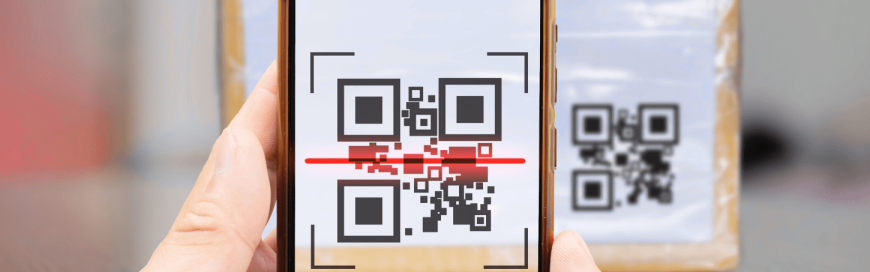
QR stands for Quick Response. It’s a type of barcode that stores information both horizontally and vertically, thereby allowing it to hold much more data than traditional barcodes. Your phone camera scans the pattern, then decodes that data into readable text or a URL. It can trigger the intended action instantly.
Unfortunately, it’s impossible to tell just by looking if a QR code is legitimate or malicious. Scammers seize that opportunity. It’s called Quishing.
What makes this more effective than previous iterations of phishing? When we scan a QR code, we are initiating the conversation. Because we choose to engage with these online teasers, and it’s hard to tell what’s legitimate. Unlike hyperlinks, we can’t investigate to see if the displayed URL is really what it appears.
Case Studies: New York and Florida
In June 2025, the New York City Department of Transportation issued a widespread alert about fraudulent QR-code stickers stuck to parking meters. These stickers redirected users to fake payment sites, which mimicked real-looking NYC DOT webpages, asking for credit card information. The spoofed site only made the scam more convincing.
Similar stories have popped up all over the world. These are not rare or minor incidents, either. They illustrate how quickly QR codes in a public place can become an effective phishing trap, especially when paired with the threat of local authorities.
Besides financial details, these quishing scams can also seek out login credentials, sign you up for various unrequested and fraudulent services, or harvest other data from your mobile devices.
Why It Matters for You at Work
You might think: “I’m careful at my desk in the office, so I’ll be okay.” Unfortunately, quishing can still affect your personal devices and work phone. Consider the ways that you might scan a QR code off-site (in a café, during travel, or at a client’s work site) which connects to your professional device or accounts. We all carry an immense amount of our own personal data on our phones, too!
A compromised device or credential doesn’t just affect you. It can open the door to your team, your network, or your clients’ data. Because QR codes are so easy to use and look harmless, the risk can sneak up on you. It’s even more dangerous when you’re distracted or in a hurry. Knowing the potential dangers, and how to protect your devices, can make you stop and reconsider before you scan that next enticing poster or advertisement. Those few seconds of caution can spare you a massive headache.
Smart Habits to Keep You Safe
Whether it’s work-related or personal, you can take some practical steps whenever you encounter a QR code. Here’s how to stay safer:
- Check the source: If a QR code is on a parking meter, sign, flyer or menu, double-check that it’s part of the official equipment or signage. Does it look tampered with? Have you heard of or paid via this service before? Is the code a sticker over something else?
- Preview the link (if possible): Many phones offer a link preview when you scan a QR code. Check that the URL looks legitimate, has correct spelling, uses HTTPS, and matches what you expect.
- Avoid entering sensitive information unless you’re sure: If the QR code immediately asks for payment, credentials, or personal data, stop. Ask yourself: “Is this expected? Does it make sense?”
- Use official apps where available: If you can pay via a trusted app rather than scanning a code posted in public, use that route.
- When in doubt, pay in another way: If you’re asked to scan a QR code but you’re unsure, use a direct payment method (like a card reader or website) or ask for an alternate method.
- Report suspicious codes: If you spot a QR code sticker that looks out of place (on a payment machine, public kiosk, sign, etc.), report it to the relevant authority. Every flagged incident helps protect yourself and others!
Conclusion
QR codes make our lives easier in many ways, but that convenience can easily become risk when we let habits override our sense of caution. As you go through your day (whether in the office, on the road, or out for coffee), treat every unexpected QR code like a little red flag. It’s not about avoiding QR codes entirely, but about navigating potential risk.
The difference between a harmless scan and a huge breach can be as small as a second glance. Scanning responsibly protects you, your team, and your organization as a whole!