
[Phoenix, Arizona] – [May 2019] – SanTrac Technologies President, Abdullah Sanders was guest speaker at ADOT BECO (Business Engagement and Compliance Office) event, which educated the Business Development Program (BDP) class about cybersecurity.
Santrac Presents Cybersecurity to Small Businesses at ADOT BECO

Santrac Technologies Awarded 2018 MBE Advocate Of The Year

[Phoenix, Arizona] – [May 2019] – SanTrac Technologies was announced the winner of the 2018 MBE Advocate of the Year Award on May 1st, by the Pacific Southwest Minority Supplier Development Council at the Supplier Diversity Excellence Awards Gala.
Protection through browser extensions
In these times of internet fraud, phishing scams, and high-profile hacks, you can never be too careful. Even if you think you have enough precautions in place, it always helps to take another look at your online safety. Here are some browser extensions you can add to improve your online security.
Hijackers might be using your PC to mine for BTC

Because of the increasing value of cryptocurrency, it comes as no surprise that hackers have geared up to get more of it. They use a process called cryptojacking, which can considerably slow your PC down. If you notice your computer is performing in a subpar manner, hackers may already be using your hardware to make easy money.
Technology tips to increase efficiency
Successful businesses make technology work for them, not the other way round. When used correctly, technology can make every task much faster to execute. So, if you’re looking to increase staff efficiency, consider the following methods to implement technology into your day-to-day business operations. Change office communication To increase efficiency, set up instant messaging software […]
The basics on 2-step and 2-factor authentication
Cybersecurity is a vital component to businesses these days. You need to make sure that criminals cannot just hack into your network. When it comes to verifying users’ identity, there are two types of authentication used: two-step and two-factor. These two are so similar, many confuse one with the other. Learn the difference between the […]
Is your computer infected with malware?
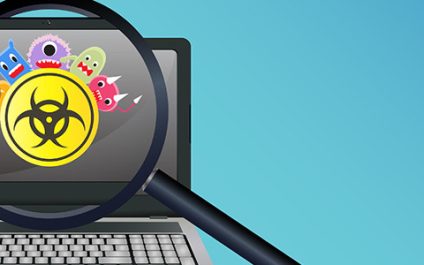
With the rise of eCommerce and online banking, cybercrime has evolved. Like criminals who pull smash-and-grab jobs, they go where the money is. However, unlike bank robbers, cybercriminals do their best to avoid detection by letting malware do the work for them.
How can I update Windows 10 faster?

Updating your Windows 10 is an essential security measure for protecting your business from threats such as malware or ransomware. It’s free! And you don’t have to do much, all you have to do is wait. However, for some, that’s the downside. Can’t stand waiting? One of these will speed up your Windows 10 update.
Manage transactions better with an OMS
Order management systems (OMSs) nowadays are more powerful and more intuitive than ever, which is the main reason why a growing number of businesses deploy one. What are the benefits of having one for your e-business? First off, we need to clarify that inventory management systems (IMSs) are not the same as OMSs. The former […]
Enjoy an improved laptop experience
Did you just get the newest MacBook Pro? Or the Lenovo Yoga 920? Either would be very exciting, but before you start showing off your new purchase, there are five steps you should take to make your laptop experience even more enjoyable and long-lasting.