
Well over half of Americans save account passwords to an application or web browser, and at least as many also store private documents on their computers. That’s fine for people who take active measures to protect their data, but if you give away a computer, you surrender all control over it.
Secure your Mac before discarding it

Protecting Your Business From Data Disasters

Data is everything to a small business in this day and age – which means if you lose access or control of your data, you lose everything.
As dramatic as that might sound, the data backs that up. According to several sources, 93% of companies, no matter how big they are, are out of business within one year if they suffer a major data disaster without having first formulated a strategy for combating it.
Consider these points when purchasing antivirus software
If you think cybersecurity protection is only for large enterprises, think again. More and more cybercriminals are targeting small- and mid-sized businesses because of their lack of proper cybersecurity solutions. Viruses, ransomware, and other types of malware are also becoming more dangerous.
4 Quick ways to speed up your Windows 10 PC

If your Windows 10 PC is showing signs of slowing down, there are ways to speed it up. Here are some quick, easy ways to improve your computer’s performance without spending hundreds of dollars on a replacement.
Prevent programs from launching at startup
Windows makes certain programs readily available by loading them at startup.
Useful accessories for Android devices
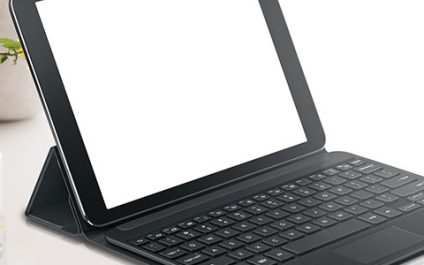
Android devices are known for their versatility, a quality that’s made possible not just by the sheer variety of applications they support, but also by the many accessories you can use with them. Knowing what these accessories can do will help you get more out of your Android device.
Consider these points when purchasing antivirus software
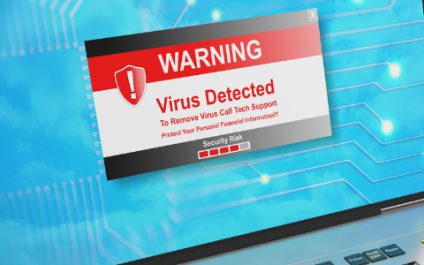
If you think cybersecurity protection is only for large enterprises, think again. More and more cybercriminals are targeting small- and mid-sized businesses because of their lack of proper cybersecurity solutions. Viruses, ransomware, and other types of malware are also becoming more dangerous.
Secure your Mac before discarding it
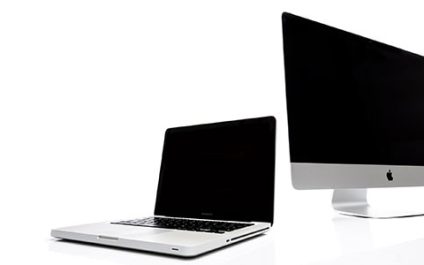
Well over half of Americans save account passwords to an application or web browser, and at least as many also store private documents on their computers. That’s fine for people who take active measures to protect their data, but if you give away a computer, you surrender all control over it.
4 Quick ways to speed up your Windows 10 PC
If your Windows 10 PC is showing signs of slowing down, there are ways to speed it up. Here are some quick, easy ways to improve your computer’s performance without spending hundreds of dollars on a replacement.
Prevent programs from launching at startup
Windows makes certain programs readily available by loading them at startup.
BYOD vs. CYOD: Which is better for your business?

Bring your own device (BYOD) and choose your own device (CYOD) policies have been shown to enhance employees’ flexibility, productivity, and job satisfaction. If you’re thinking of adopting one of these strategies, here are some things to consider.
The dangers of TDoS to your VoIP systems

Most businesses are familiar with denial-of-service (DoS) attacks, or attacks that cripple an IT network, system, or machine to deny access to intended users. Not many businesses know, however, that Voice over Internet Protocol (VoIP) systems can be a DoS attack target too.