
Losing or compromising data can be disastrous for your business. It can lead to reputational damage, costly lawsuits, and termination of contracts, among others. And because threats to data security are always present online, it’s important to implement tough security measures that will keep your business data safe 24/7. Here are some tried-and-tested methods to safeguard your corporate data.
Tips to keep your business data safe

How to backup your Android files to Windows or Mac
You can’t risk losing important files on your Android phone, whether they be treasured family photos or detailed client notes. It’s best to be prepared for the worst and back up your data on your Mac or PC. Here’s a guide to how you can do just that.
When should you purchase a new Mac?

Like it or not, there will come a time when your once lightning-fast Mac computer can no longer meet modern computing demands. When this happens, you’ll face the following dilemma: should you stick to your current Mac computer or purchase a new one? To help you make this decision, we’ve listed several signs you need to watch out for.
Add hours to your day with these PC hacks

Because there are only so many hours in a workday, it’s vital to make the most of your time. If distracting websites, unorganized files, and cluttered inboxes prevent you from getting work done, follow these tips to better manage your time and stay productive at work.
Is it time to replace your Mac?

If you’ve owned a Mac for quite some time, it’s probable that you’ve encountered a few problems with it. After a while, using it can be more of a hassle than a convenience. If you’re already experiencing some major problems, it may be time to replace your Mac.
Is AI-powered VoIP the next step?

The use of artificial intelligence (AI) is becoming increasingly common across numerous industries. In fact, AI-powered Voice over Internet Protocol (VoIP) technology is reshaping business telecommunications. These are the features your company will benefit from the most.
Safeguard your Microsoft 365 data with these tips
Because Microsoft understands the value of business data and the costs associated with data loss and theft, the technology company offers powerful security tools for Microsoft 365 subscribers. However, for these tools to be truly effective, users must implement the following practices to further protect their data.
Tips to avoid common browser security dangers
Being tricked into visiting malicious websites and getting your computer infected with malware is not the only way your business data can get compromised. By browsing the net without using security measures, your computers and data could get into trouble. FYI: your web browser knows a lot about the sites you visit, including the credentials you use to access financial and business accounts. Secure your browsers and your data by following these steps.
Santrac Technologies Provides SanTrac Cyber Protec Cybersecurity Solutions to Meet All of Your Security Needs
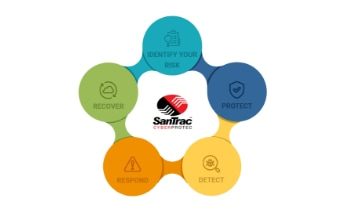
[Phoenix, Arizona] - [July 2021] - With cybercrime on the rise, we have been actively working on a way to keep our clients' networks safer. We have put together a plan that we would like to present to minimize your risk - (drum roll please) ... we are excited to formally introduce SanTrac Cyber Protec services!
Over the past year, cybercriminals have exponentially ramped up their efforts due to COVID-19. Now that more people are working from home in an unsecured environment, they know they have a greater chance of hacking in - and they have been.
Ways to block browser security threats

Nowadays, it’s near impossible to maintain 100% privacy when browsing the web. A variety of malicious actors lurk in the background, whether you’re searching on Google, checking your social media feeds, or accessing business programs online. The fact is that everyone who browses the internet is vulnerable to cyberthreats.