
Cloud computing has become a staple in business strategy and IT architecture over the past years. It provides the simplest and quickest access to myriad hardware and software over the internet. Compared to traditional on-premises infrastructures, cloud-based solutions such as SaaS, PaaS, and IaaS offer a host of benefits.
SaaS vs. PaaS vs. IaaS: Which is the right cloud service for you?

4 Data backup solutions for your business

Modern businesses use data in almost every aspect of their operations. Without immediate and constant access to it, organizations will come to a grinding halt. That’s why it’s critical to have data backups — in the event of a disaster, companies risk losing valuable data if they don’t have backup strategies in place. Here are four data backup solutions you can implement to prevent such a scenario.
Improve internet security with these easy tips

With over four billion internet users around the globe totaling roughly 59% of the population, the internet is rife with opportunities for hackers to steal users’ information. And with technology constantly evolving and the internet growing, it’s not likely to get safer anytime soon.
Are your Windows 10 updates taking too long? Here’s what you need to do
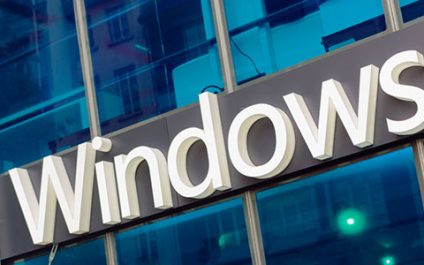
Windows 10 users are well aware that installing updates can take a long time. We hear users complaining about it all the time. Why are Windows 10 updates so slow, and what can users do to speed things up? Here’s our take.
Windows 10 updates take a while to complete because Microsoft is constantly adding larger files and features to the operating system.
IT Security Tip #4:

You’re working at your computer when all of the sudden – BAM! – you get a pop-up notification that your PC is infected with a virus and you must “click here” to run a scan or install antivirus software. This is a common scareware tactic used by hackers to get you to click and download a virus. (You should know we would NEVER deliver that type of pop-up to you!)
Sneaky Android adware apps to watch out for

Zscaler’s ThreatLabZ team recently uncovered 17 adware apps in Google Play. These are apps that run unwanted ads on your device and collect your data for marketing purposes. Unfortunately, these apps were downloaded around 120,000 times before Google was able to remove them.
What Are Managed Services, And Why You Should Demand This From Your IT Company

We all want to protect our businesses. They’re a part of who we are, and it would be devastating if anything bad happened — including an unexpected cyberattack. But it happens. Businesses are attacked every single day. Some businesses are left in ruin.
Got a new MacBook? Here’s what you need to do first

The 2020 MacBook models boast of a new processor that promises a longer battery life and better speed. Plus, they offer the ability to run iPhone and iPad apps. But before you start using your new device, make the following tweaks to ensure even better performance and functionality.
IT Security Tip #4: The #1 way a hacker will get you is…

A weak password is still one of the most common ways hackers break in.
Thanks to sophisticated brute-force-attack software readily available online, hackers can try tens of millions of possible password combinations per second. For example, hacking software can guess a five-character password in under three hours.
Reasons for your smartphone’s slow internet

Isn't it frustrating when the page you're visiting takes an eternity to load? Oftentimes you blame the app or your phone, but did you ever consider that it's your mobile data connection OR internet connection that's the problem?
Wi-Fi noise
Did you know that home electronic appliances emit wireless signals at a frequency similar to your router’s (2.4 GHz)? So when deciding where to place your router, determine whether there are any electronic devices nearby, as they emit signals that can interfere with your router’s signal.