
More and more organizations across the globe are migrating their data and systems to Microsoft 365. If you’re thinking about making the move yourself, take note of the following common mistakes to ensure your migration is successful and hassle-free.
Microsoft 365 migration fail: 6 errors to avoid

If You Installed It, You Must Update It!

There are thousands of hackers who get up every morning with ONE goal in mind: to find a new vulnerability in a commonly installed software (like Adobe, Flash or QuickTime) to access your computer. That’s why these companies frequently issue patches and updates for KNOWN security bugs; and once a KNOWN vulnerability is announced via a patch, hackers get to work like crazy trying to figure out how to use the vulnerability and access those users who are lazy about installing updates.
How to install Windows 10 on your laptop

Unboxing a new Windows 10 laptop is exciting, but before you start using it, there are a few things you need to do. You can ask a technician for help in setting up your new device, but here are a few things you can do on your own.
1. Set up how your device checks for updates
Your new laptop should check for updates automatically, but you can also do this manually.
If you’re experiencing a ransomware attack, try these online decryptors
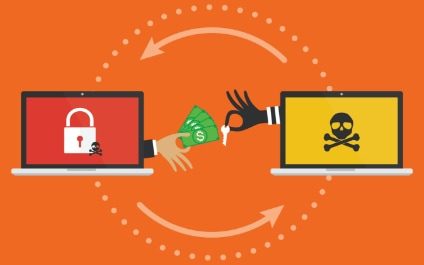
While the threat of ransomware pretty much encompasses all of cyberspace nowadays, not everyone realizes that some ransomware threat responses are readily available for anyone who might need them. Take a gander at these decryptor websites, for instance.
Bookmark the LEGITIMATE websites you frequently visit

Here’s a sneaky trick used by many hackers: they purchase and set up a fraudulent website that is a close misspelling of a legitimate one. Example: www.faceboook.com (extra “o”) or www.dropbox.net (instead of .com). All you have to do is accidentally fat-finger ONE letter in the URL and up pops a very legitimate-looking fake copy of the site you were trying to get to – and the login and links are full of keylogger malware and virus landmines waiting for you to click on them.
How to keep your Android device protected

As of January 2021, Android is the leading mobile operating system in the market with a 71.9% market share. This is why Android devices are a prime target for cyberthreats and why Android users face a multitude of potential attacks. Fortunately, you can protect your Android device from attacks by following the tips in this guide.
What are the dangers of jailbreaking your iPad?

Many iPad users jailbreak their devices to gain greater control over iOS. With a jailbroken iPad, they can download apps that aren’t available in the App Store and gain more functionality. However, these unauthorized modifications often cause a variety of issues, including the following.
Why Quality of Service is crucial for VoIP

One of the most essential aspects of Voice over Internet Protocol (VoIP) systems you should consider is Quality of Service, or QoS. To make sure your provider will deliver optimal service with minimal downtime, ask them these questions about their QoS.
What is QoS?
VoIP providers and IT experts define QoS as the overall performance of a VoIP system or network.
What Is The “Dark Web” Anyway?

The “Dark Web” or “Deep Web” is a part of the World Wide Web we know and love that is ONLY accessible via a special software that allows users and website operators to remain completely anonymous and untraceable. That’s why it’s the playground for hackers and cybercriminals.
Sluggish PC? These desktop decluttering tips can help

Everyone needs a fast, reliable PC to work and be productive. A slow computer, however, negatively affects your productivity. One of the many causes of a sluggish computer is a cluttered desktop. Learn the fixes that will help improve your PC’s speed.